Clay vs Lusha: which one gets you better B2B contact data?
Contact Data Comparison
Clay vs Lusha: which one gets you better B2B contact data?
The choice is between assembling contact data from many providers and buying one database a single company verified.
What Clay and Lusha actually do
Both sell B2B contact data. The difference is whether it is assembled from other people's providers or collected and verified by the vendor itself.

Clay
Clay is a GTM data platform sitting over a marketplace of 100+ data and AI vendors. One contract reaches all of them, and a single lookup can cascade through several providers in sequence or go to an AI research agent instead. It sells to growth and GTM engineering teams who would rather design the enrichment logic themselves than accept a vendor's fixed schema.

Lusha
Lusha licenses a B2B contact database it builds itself: 290M+ contacts and 29M+ company profiles, sourced from an opt-in community contribution program, licensed partners and public records. It leads with accuracy figures rather than database-size superlatives, and now markets itself as the data layer other systems call, with a native MCP server available on every plan.
Clay vs Lusha, feature by feature
Side by side on where the data comes from, what a credit buys, and what it costs to reach your CRM. Checked 2026-09-15.
Clay
Lusha
Product category
Workflow platform over a marketplace of 100+ data and AI providers
First-party B2B contact database sold as a data layer
Where the data comes from
100+ third-party providers, cascaded in a sequence you configure
Its own collection: community contributions, licensed partners, public records
Published accuracy figures
None for its own data; it publishes benchmarks ranking the providers it resells
98% email accuracy and 86% phone accuracy, published alongside the database
Set up time
Two meters: Actions for platform work, Data Credits for the data itself
Varies by field: 1 credit for a verified email, 5 for a phone number
What one credit buys
CRM auto-sync starts at Growth, $446/mo, checked 2026-09-15
1 credit per record to a CRM, against 1 credit per 25 records to CSV
Cost of getting a record into your CRM
Warehouse sync only, from $446/mo
Not supported; enrichment runs from its own database
Published pricing
Annual rates: Free, Launch $167, Growth $446, Enterprise custom, checked 2026-09-15
Annual rates: Free, Launch $167, Growth $446, Enterprise custom, checked 2026-09-15
API access
HTTP API from Growth at $446/mo; the full Clay API is Enterprise only
Full API access from Pro at $52.45/mo; rate-limited below that
Seats
Unlimited on every tier, including Free
1 on Free and Starter, 3 on Pro, 5 on Premium
Free tier
500 Actions and 100 Data Credits a month, capped at 200 rows per table
40 credits a month on 1 seat, no credit card
Clay vs Lusha: strengths and limitations
Clay
Lusha
One field, several providers behind it
Cascading providers for the same lookup lifts match rates past what any single source returns. Clay publishes customer numbers moving from the low 40s into the high 80s on coverage.
It publishes an accuracy number and stands on it
98% email accuracy and 86% phone accuracy, stated on the data pages rather than implied. Most of this category leads with database size instead, which is the easier number to inflate.
Claygent researches what nobody sells as a field
An AI agent reads a website, summarises recent news or answers a question per contact. Most of what makes an account interesting is not available as a clean field from any vendor.
Compliance treated as a product, not a footer
SOC 2 Type II, ISO 27001 and ISO 27701, audited by accredited third parties rather than self-declared. Selling into Europe, that is the difference between a yes and a legal review.
Unlimited seats on every tier
Nobody is charged for logging in, including on the free plan. A failed enrichment costs nothing in either currency, which matters when you are chasing hard-to-find contacts.
Self-serve from $37.45, and free with no card
The free plan needs no credit card and the entry tier is $37.45 a month billed yearly, checked 2026-09-15. A rep can be revealing verified contacts within minutes of signing up.
Two meters make the bill hard to predict
Actions and Data Credits are sized on separate sliding scales with token-billed AI underneath, and you pick the provider for every operation. The same mobile phone runs 1 credit to 25.
A credit is not one record
A verified email costs 1 credit and a phone number costs 5, so the same 40-credit free plan is either 40 emails or 8 phone numbers. Budgeting means guessing your operation mix first.
The infrastructure features start at $446
CRM auto-sync, warehouse sync, the HTTP API and webhook automation all begin at Growth, $446/mo as checked on 2026-09-15. Below that tier you move records out by hand.
The integrated path out is the expensive one
A CSV export covers 25 records for one credit. Send those same records to your CRM instead and each one costs a credit, 25x more for the path that keeps the CRM current.
Our Suggestions
Choose Clay if someone on your team enjoys building enrichment logic and you want coverage no single database can match.
Choose Lusha if you want verified contact data on a self-serve plan today, with published accuracy rates and audited compliance behind it.
Neither one of them feels right to you?
If what you actually wanted was the accounts already in your CRM enriched, ranked and kept current, Oneprofile does that on every paid plan at $20 and writes the answer back.
How Oneprofile fills that gap
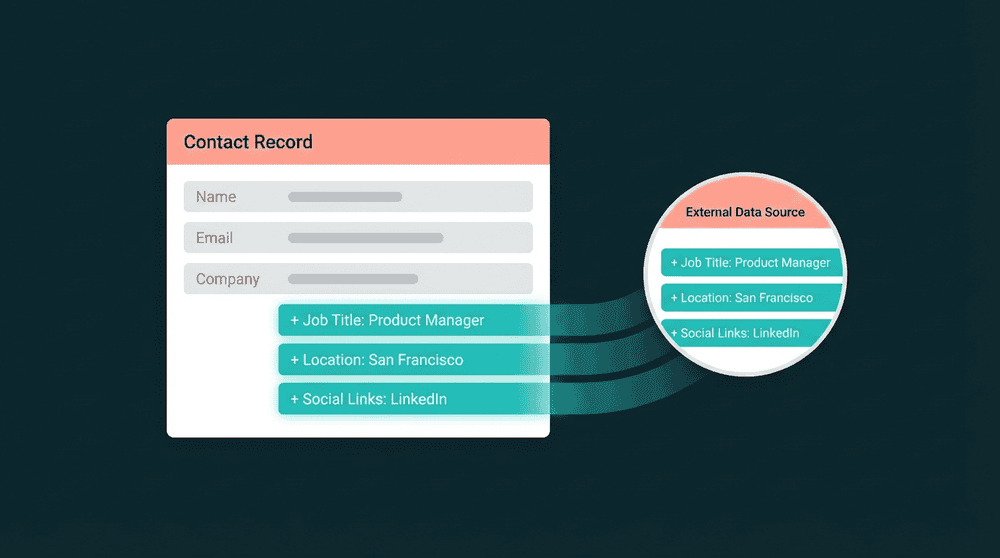
Oneprofile reads from 127 tools you already pay for, enriches every account through an automatic waterfall, and writes the answer back to your CRM.
Difference 1
Enrichment reaches your CRM on every paid plan
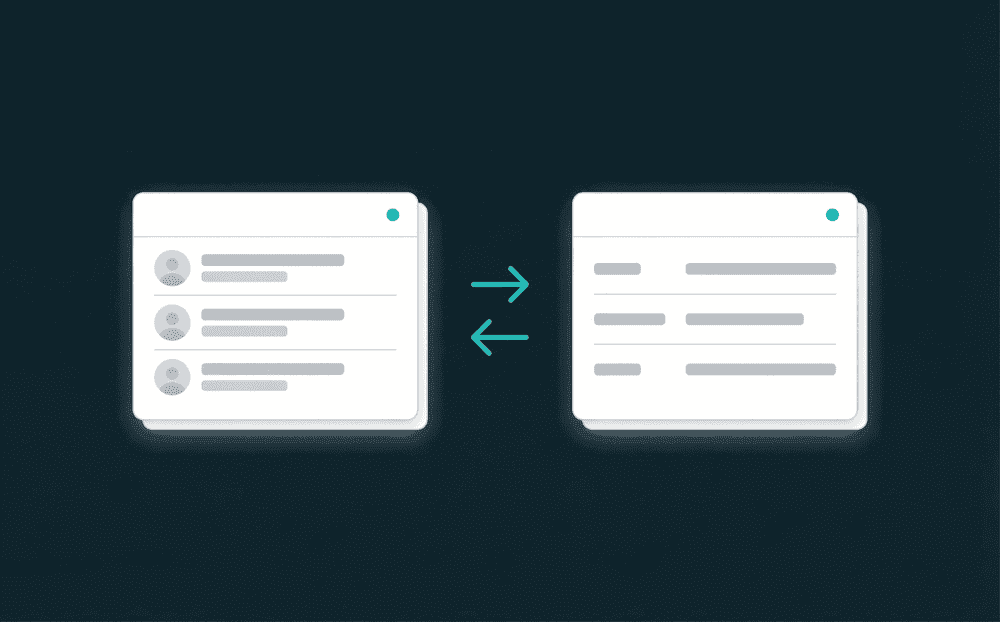
Your CRM is the source and the destination. Oneprofile reads accounts and contacts out of HubSpot, Salesforce, Pipedrive or Attio, enriches them, then writes the result back on a schedule and creates the property first if it does not exist yet. That runs on the $20 plan, and moving a record into the CRM is not billed differently from moving it anywhere else.
Difference 2
Your own systems enrich every account
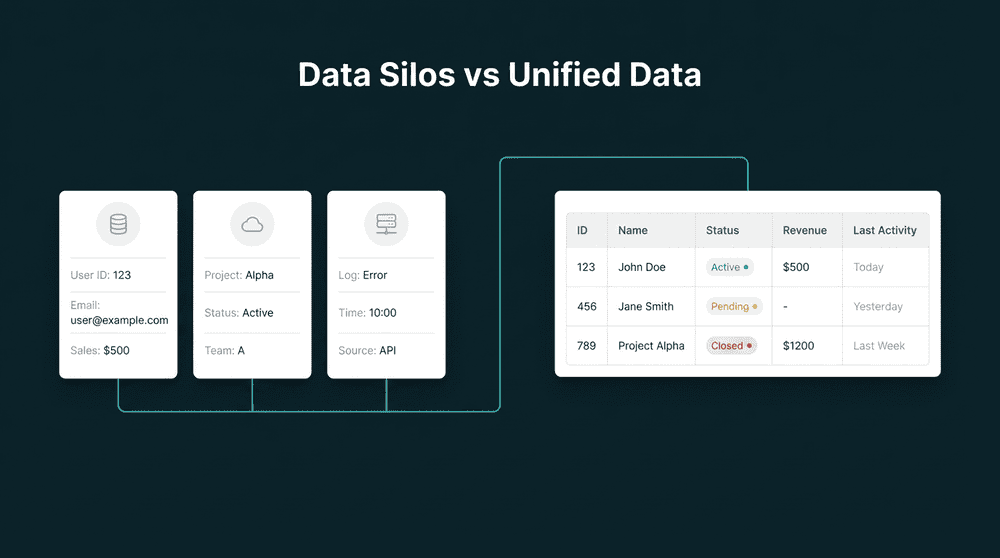
Bought contact data describes a stranger. It cannot tell you that an account downgraded a seat in Stripe last week, filed four Zendesk tickets, or quietly stopped logging in. Any of our 127 integrations can enrich an account, so billing, support desks, product analytics and your own Postgres sit alongside third-party firmographics and feed the same score.
Difference 3
We order the providers for you
There is no provider chain to build. We order providers by cost and hit rate, try them until one returns a match, then stop. You get the coverage a multi-provider waterfall gives you without spending an afternoon deciding which vendor belongs in slot three. A miss costs nothing, so a hard-to-find contact never bills you three times over.
Lusha vs Clay: which is better for B2B contact data?
Clay vs Lusha pricing: which one costs more?
Do Clay and Lusha sync enriched data back to my CRM?
Can I use Clay and Lusha together?
Clay or Lusha for a five-person sales team?
Clay vs Lusha: what does Oneprofile do differently?